
Video on the wall TV
FamilyView: video calls on the Samsung TV already on the wall
FamilyView turns the Samsung TV already on the wall of a shop, a jobsite trailer or an office into a video phone. A USB camera sits on top of the TV, the call is answered with the remote, and there is no laptop under the TV. TV calls TV, phones call the TV, and a phone on the jobsite can join the same call with its camera. The same system runs at home as a family video phone and baby monitor. FamilyView is our own product.
A short scripted demo. The people and companies in it are fictional; nothing is real data, a real camera or a real call.
Why we built it
Most shops, trailers and offices already have a TV on the wall, and most video calls still run through a laptop set under it. FamilyView ties a TV app, a phone app and a web app to one system, so the TV is the endpoint: it rings, it has its own camera, and it is answered with the remote.
See it
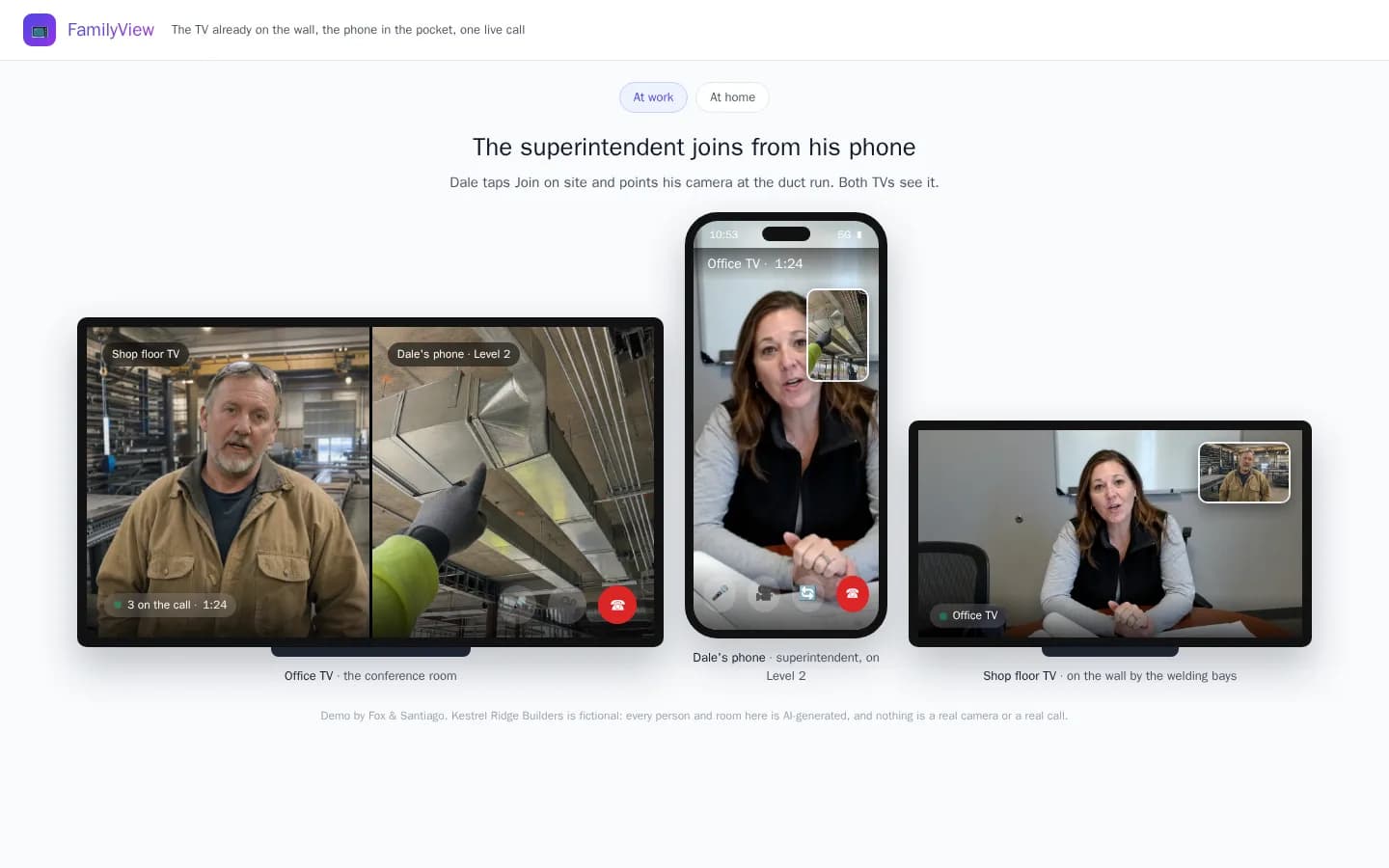
The demo plays a short scripted story between a fictional contractor's screens: the office calls the shop floor TV, a superintendent joins from his phone on site, then calls back from the trailer TV. The At home tab shows the same system as a family video phone.
How it works
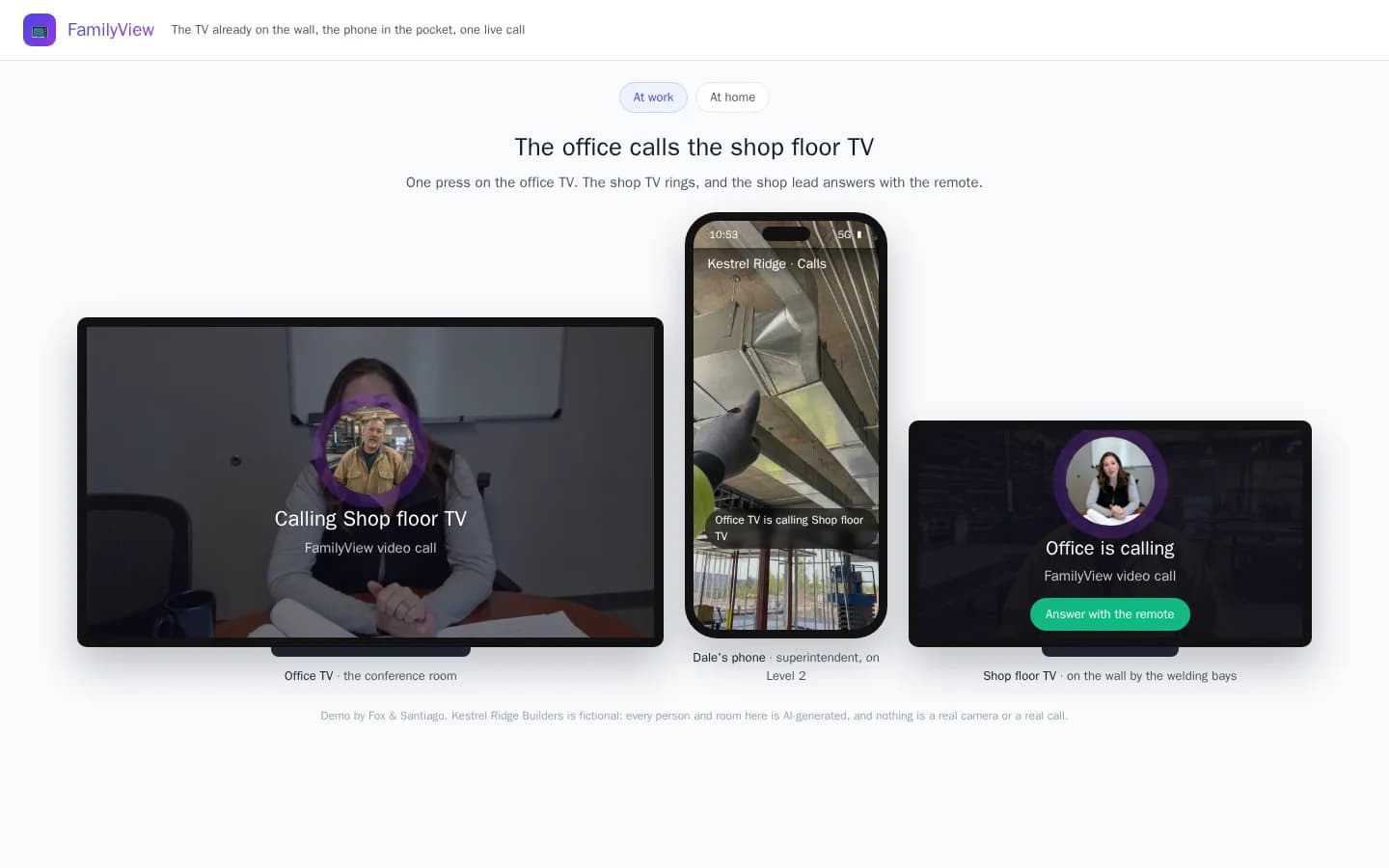
The office calls the shop floor TV
One press on the office TV and the shop floor TV rings. The shop lead answers with the remote, without walking off the floor to a desk.
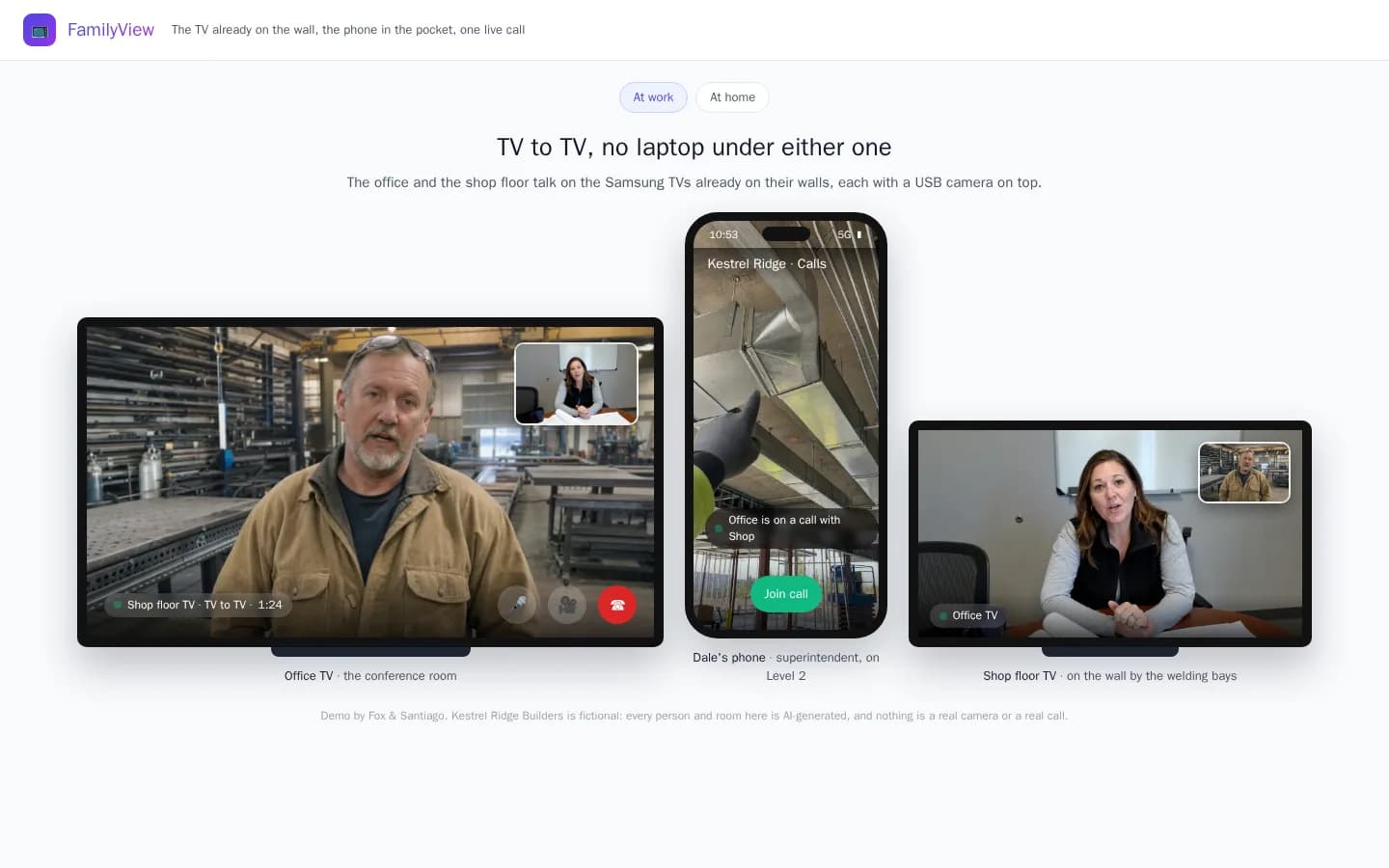
TV to TV, no laptop under either one
Both ends are Samsung TVs already on the wall, each running the FamilyView TV app with a USB camera on top. Nobody props a laptop under the screen to make the call.
The superintendent joins from his phone
A superintendent on site taps Join and points his phone at the work. The office TV shows the shop and the jobsite side by side, and everyone talks about the same duct run.
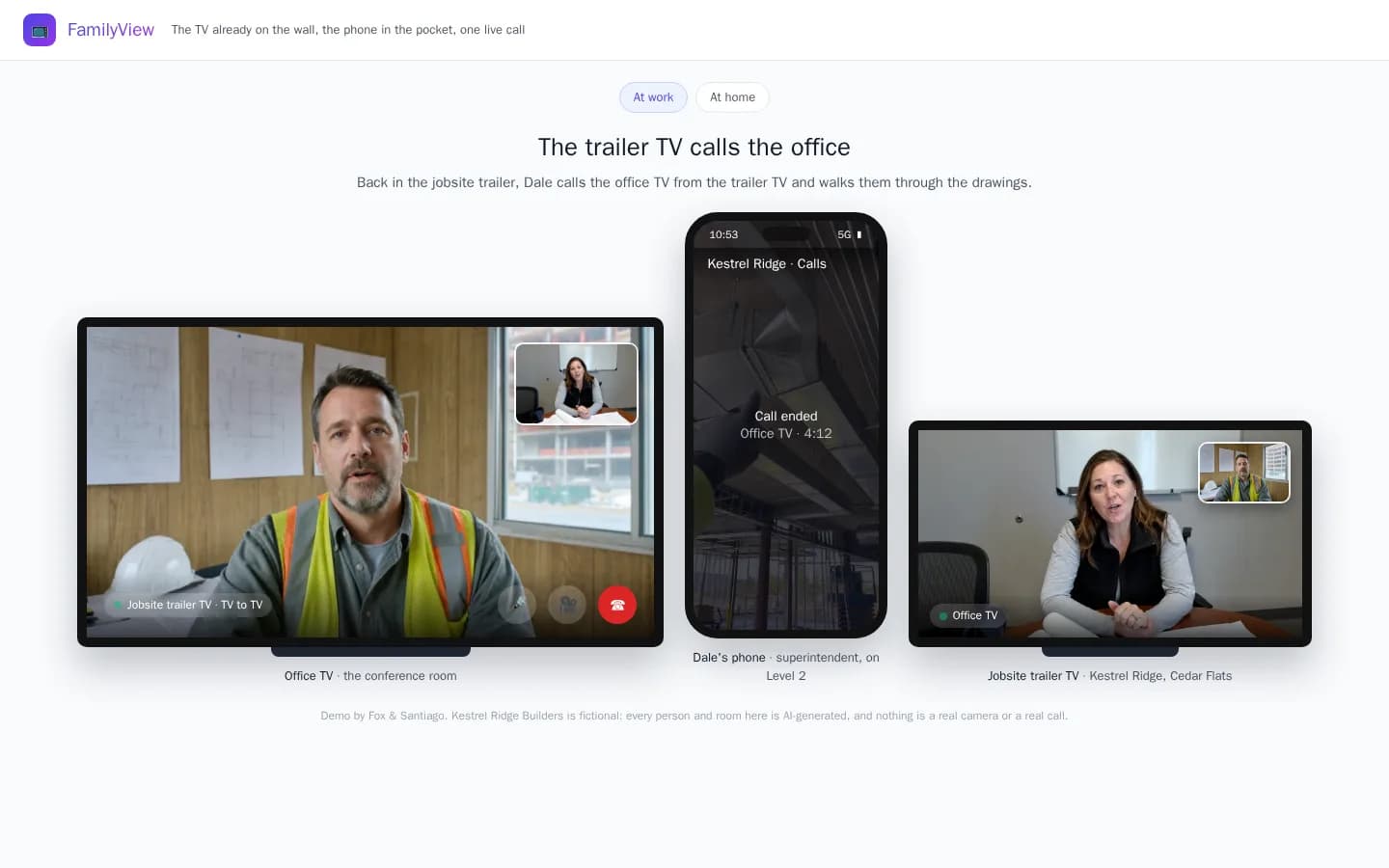
The trailer TV calls the office
Back in the jobsite trailer, the superintendent calls the office TV from the trailer TV and walks them through the drawings on the table.
The same system at home
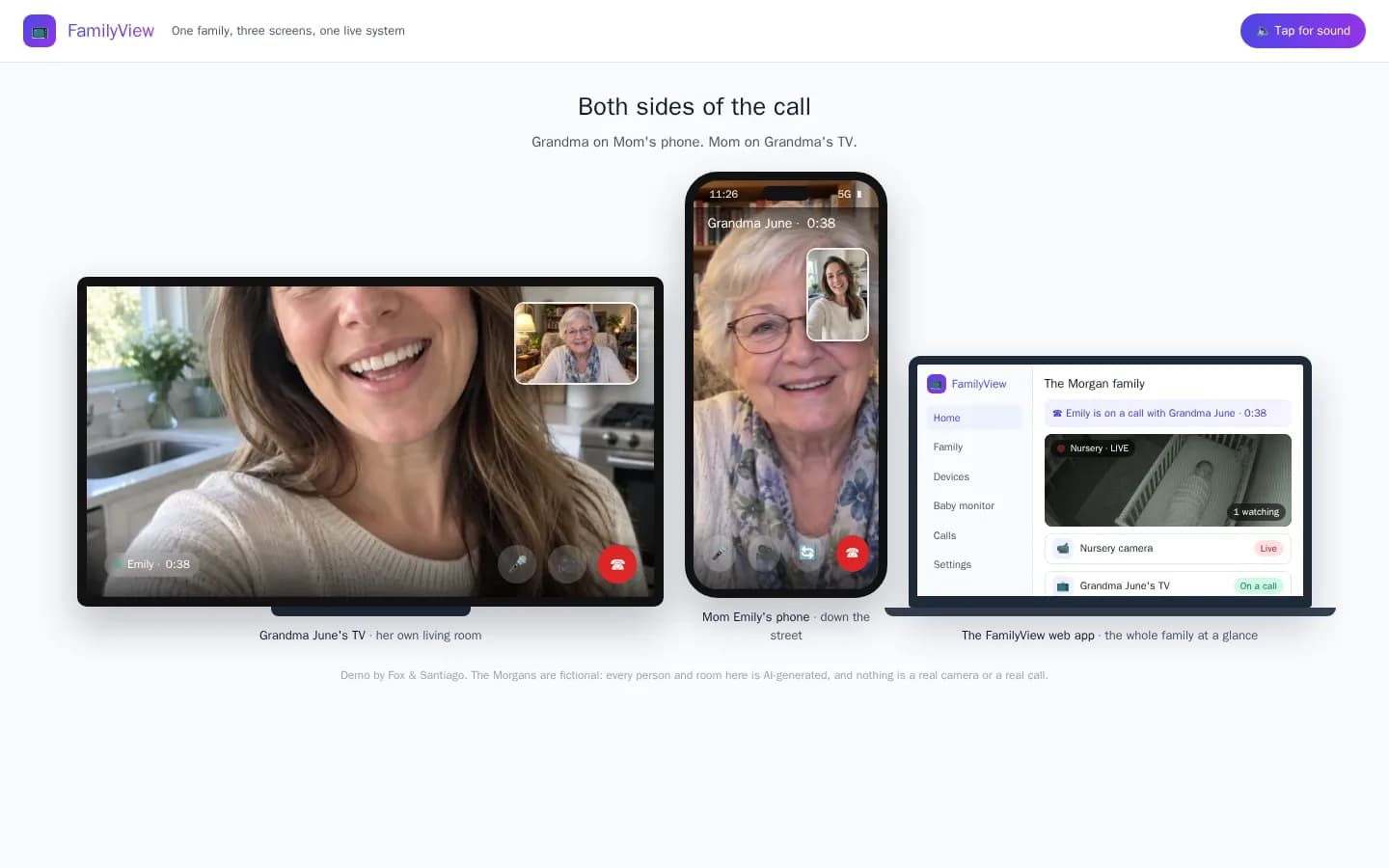
At home, FamilyView is the family video phone: Grandma answers on her TV with the remote, the kids call her from their phones, and a nursery camera can be watched on more than one screen.
Who it is for
- Shops with a TV on the wall by the floor
- Jobsite trailers and site offices
- Office conference rooms that talk to the field
- Families who want the call on the big screen
Built by Fox & Santiago as our own product.
Questions people ask
What problem does FamilyView solve?
A video call usually means a laptop. In a shop, a trailer or a conference room, someone sets a laptop under the TV and points its webcam at the room. FamilyView puts the call on the TV itself, with its own camera, so the call happens where the people already are.
What hardware does it run on?
A Samsung smart TV running the FamilyView TV app, with a USB camera on top of the TV. Phones run the FamilyView phone app, and a web app handles the people and devices on the account.
Can one TV call another TV?
Yes. A TV can call another TV, a TV can call a phone, and a phone can call a TV.
Is the demo real footage?
No. Kestrel Ridge Builders and the Morgan family are fictional. Every person and room in the demo is AI-generated, and the calls are scripted. The screens around them are FamilyView's own layout.
Can you build something like this for us?
Yes. FamilyView is the same kind of build we do for clients: several apps on different devices running as one system. Book a fit call and tell us what yours needs to do.
A short scripted demo. The people and companies in it are fictional; nothing is real data, a real camera or a real call.
Next step
Talk to us
Start with a free twenty-minute fit call. If the workflow, the sponsor and the path to access are real, the next step is a Workflow Spec.
Fox & Santiago, Genesee, Idaho. We work nationwide, for clients across the United States, from our headquarters in Genesee, Idaho.