Construction
Field Change Briefing: what changed overnight, who is blocked, and who owns it, for every crew
Field Change Briefing reads a contractor's Procore project every morning and tells each trade what changed since yesterday that touches its crew: new drawing revisions, answered RFIs, submittals, observations and schedule moves. It works out which crews are ready, at risk or blocked in each location, warns about scheduled work whose path is not clear, shows what moved between drawing revisions, and runs the punch list on a phone. Field Change Briefing is our own product.
The demo runs on one sample company that resets itself every 30 minutes. Nothing is ever sent.
Why we built it
A crew loses a morning when it drives to a job and finds the work in front of it is not ready: the submittal is still with the architect, or the drawing changed overnight. The information was there, spread across records nobody on the crew reads. Field Change Briefing puts it in front of the people who need it, sorted to their crew, every morning.
See it
The demo is a fictional general contractor with two jobs. Open the readiness board, read a trade's briefing, compare a drawing revision, and walk a punch list from your phone.
How it works
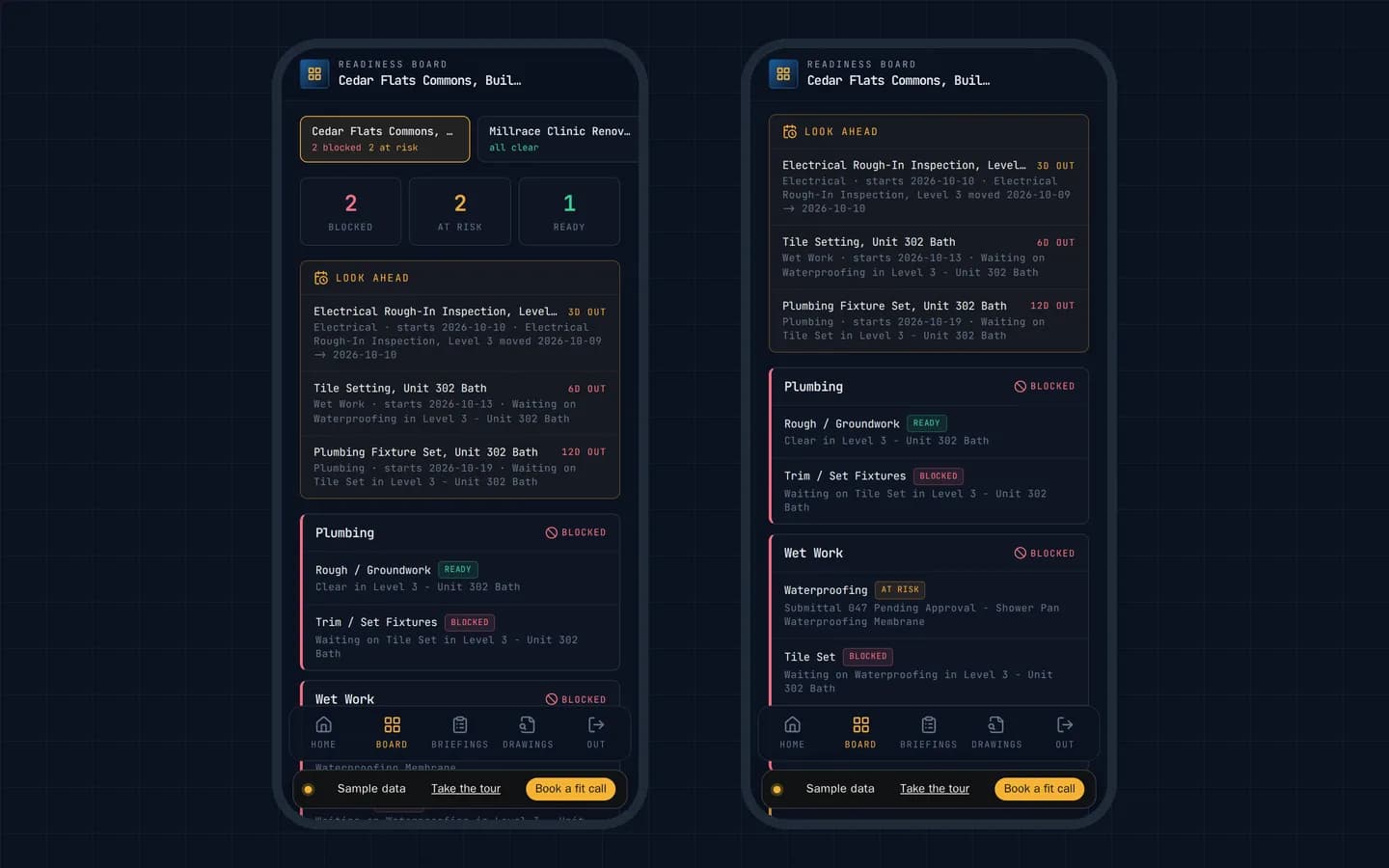
Who is ready to build, location by location
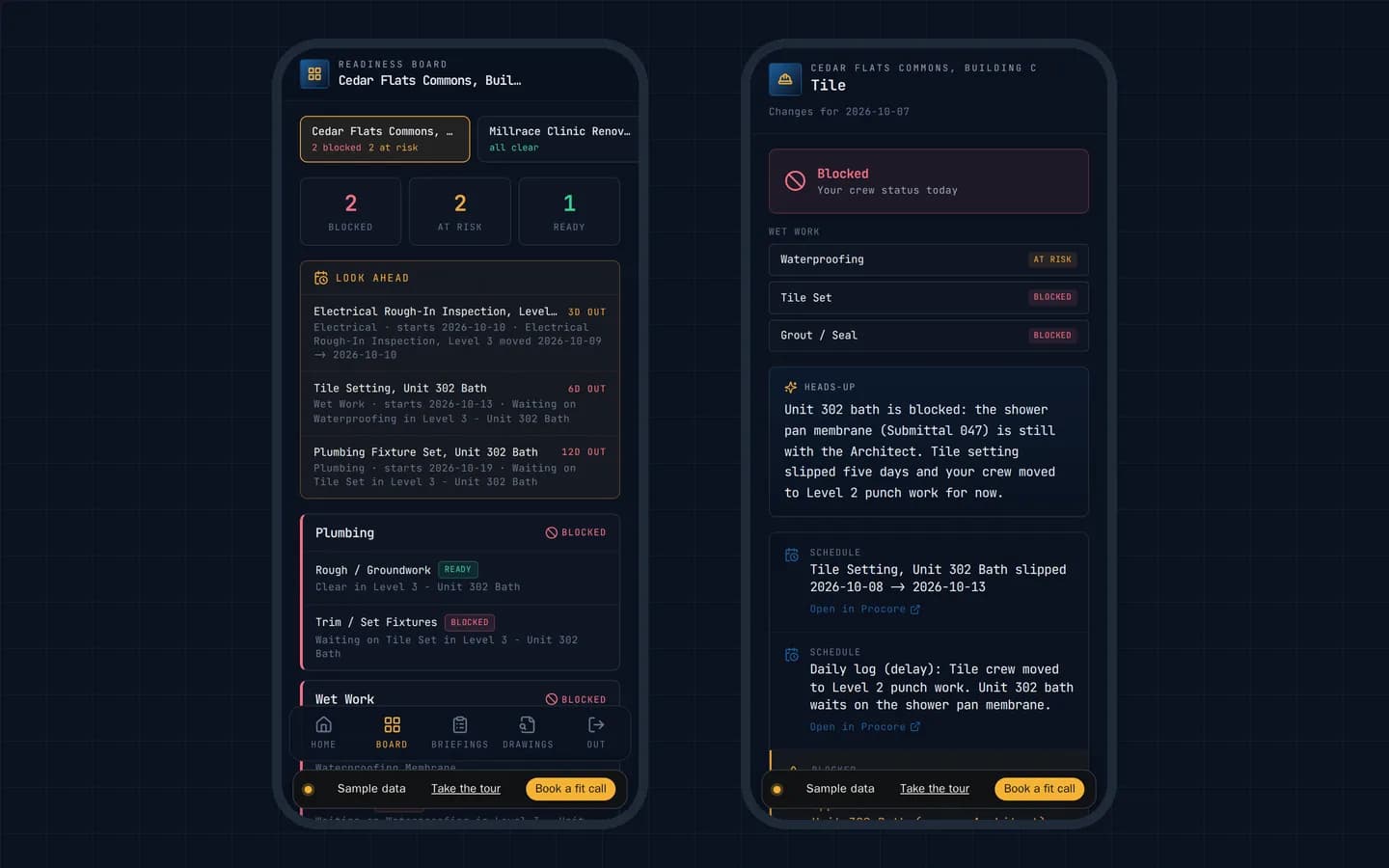
Every crew and each step of its work shows Ready, At risk or Blocked, checked in each location. A submittal still waiting in one bathroom blocks the tile crew there and the plumbing trim behind it, without holding up the electricians down the hall.
Trouble before it reaches the schedule
Work scheduled in the coming days whose crew is still blocked or at risk shows up with the days left and the reason, so the super can clear it before a crew drives out to work that is not ready.
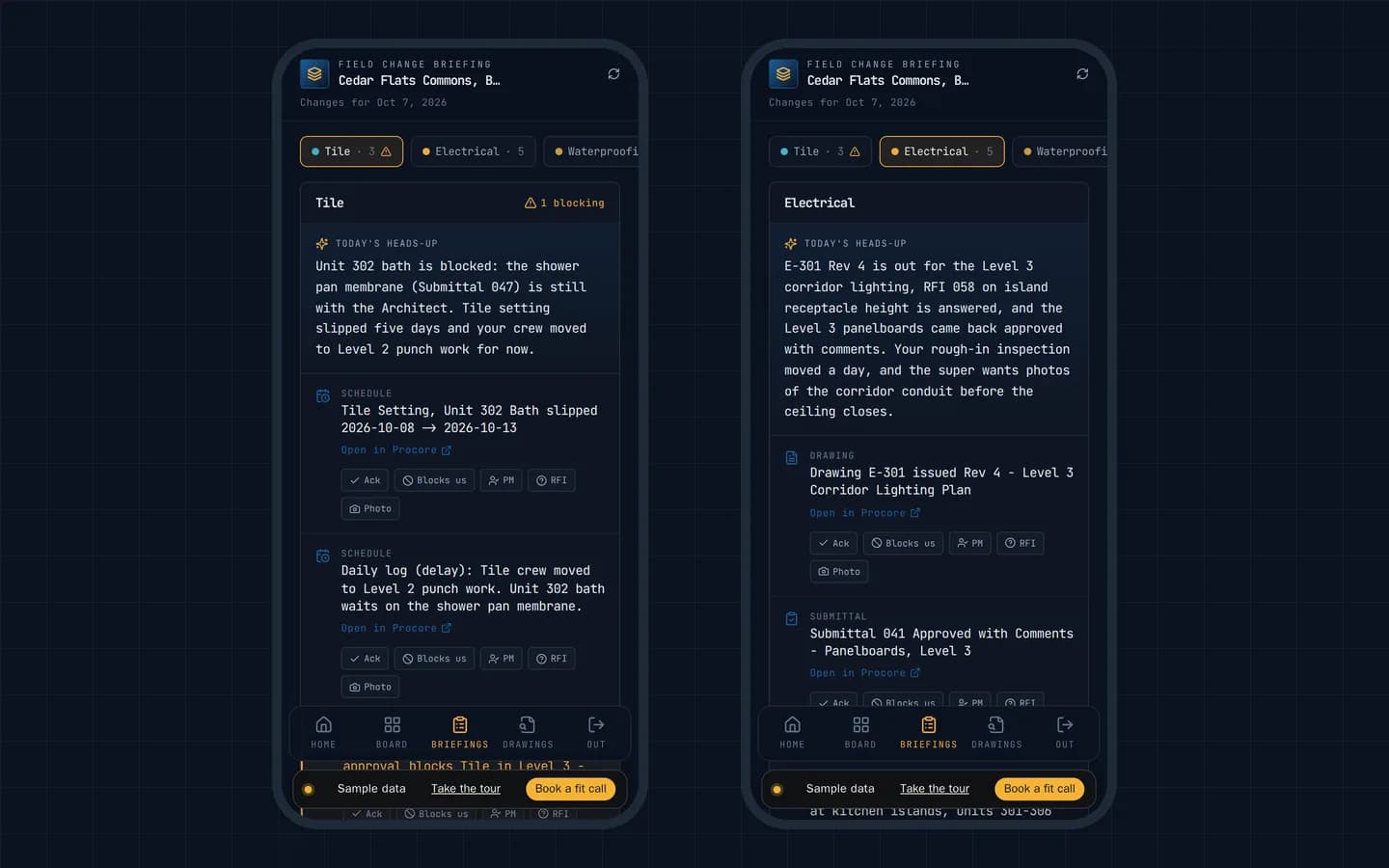
Each trade's morning briefing
Drawing revisions, answered RFIs, submittals, observations and schedule moves, sorted to the crew they touch, with the blocker and its owner called out. A foreman acknowledges a change, flags it as blocking or asks for an RFI in one tap.
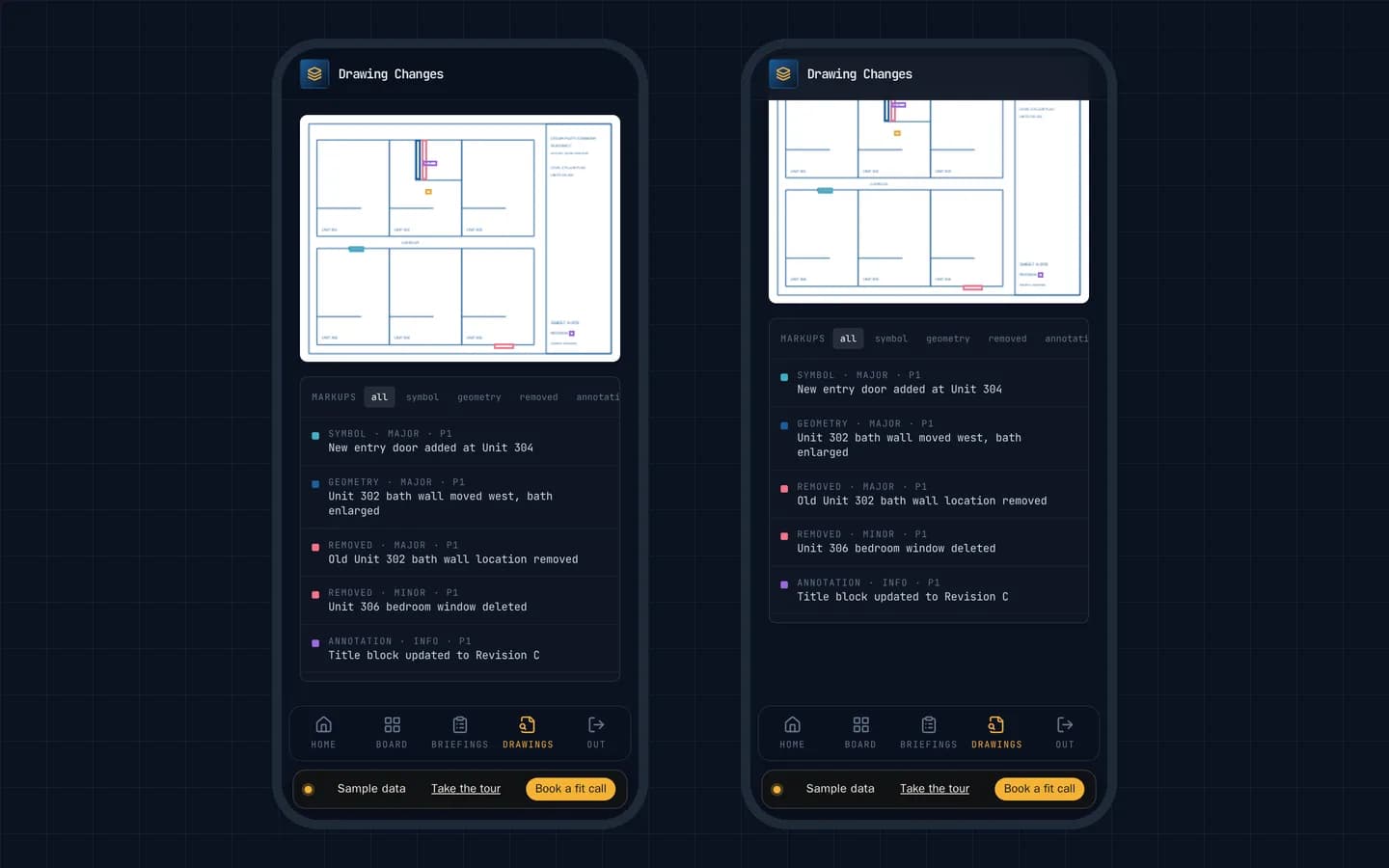
What changed between drawing revisions
The new revision of a sheet is compared with the last one, and every change is boxed and labelled on the drawing: a moved wall, a new door, a deleted window, a changed dimension.
The punch list on a phone
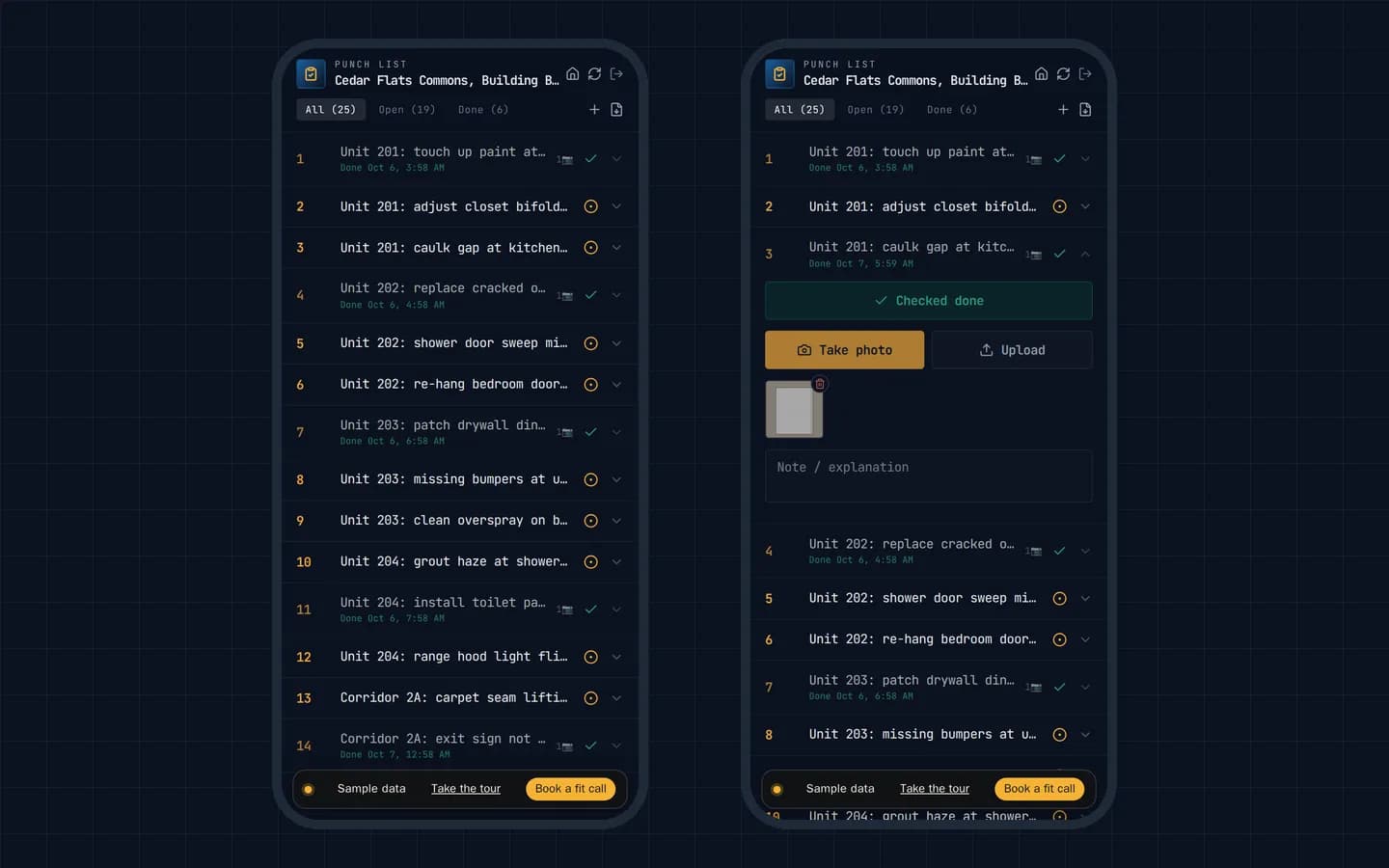
Walk the list, check items off and take a photo on the spot. An item closes only when it has a photo, it keeps working without signal, and the closeout report comes out as a PDF.
Who it is for
- General contractors and their superintendents
- Subcontractor foremen and crews
- Project managers running several jobs at once
Built by Fox & Santiago as our own product.
Questions people ask
What problem does Field Change Briefing solve?
On a busy job, changes arrive all day through drawings, RFIs, submittals and the schedule, and a crew often finds out when it shows up to work that is not ready. Field Change Briefing sorts every change to the crews it affects and says plainly who is blocked, why, and who owns the fix, before anyone drives to the job.
Does it work with Procore?
Yes. It reads the project's drawings, RFIs, submittals, observations and schedule through Procore's API, and every line links back to its record in Procore.
Can a subcontractor's foreman see it without an account?
Yes. A foreman gets a link that shows only their crew's status and the day's changes, with no login.
Is the demo the real software?
Yes. The demo runs the same board, briefings, drawing comparison and punch list on a fictional contractor and two fictional projects. The short heads-up at the top of each briefing, which the live product writes with AI, is written in advance for the sample. Nothing is sent, and the sample resets itself every 30 minutes.
The demo runs on one sample company that resets itself every 30 minutes. Nothing is ever sent.
Next step
Talk to us
Start with a free twenty-minute fit call. If the workflow, the sponsor and the path to access are real, the next step is a Workflow Spec.
Fox & Santiago, Genesee, Idaho. Home territory: the Inland Northwest, where we respond fastest. We fly anywhere in the United States for paid engagements.